
 22 July 2026
 Share
Share
1
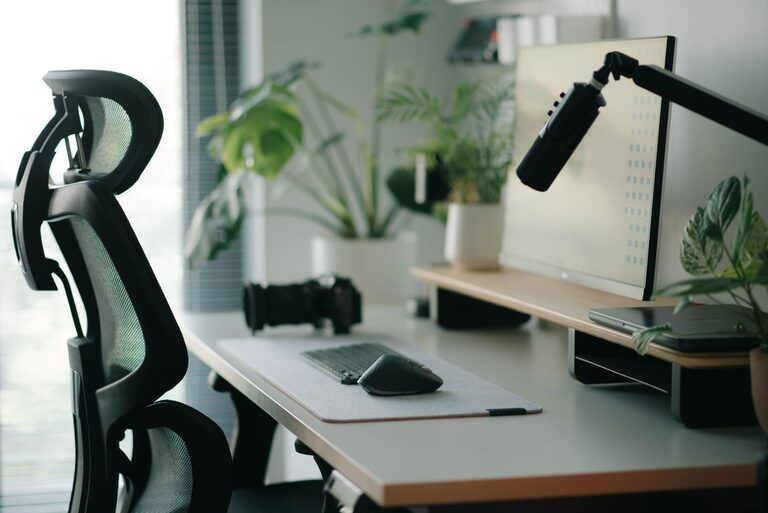
Creating a workspace that promotes both focus and comfort is essential for productivity and well-being, whether you work from home or in an office. A well-organized desk setup can reduce distractions, prevent discomfort, and help maintain a steady workflow. In this post, you’ll find practical tips to design a desk setup that supports your concentration and keeps you comfortable throughout the day.
Your desk setup influences not only your productivity but also your physical health. Poor ergonomics can lead to back pain, eye strain, and fatigue, while a cluttered workspace may impact your ability to focus. By optimizing your desk environment, you can create a space that fosters efficiency and reduces stress.
The ideal desk height allows you to work without hunching over or straining your shoulders. Most standard desks are around 28 to 30 inches high, but adjustable desks or standing desks offer more flexibility. Choose a desk surface that’s large enough to hold your essentials without feeling cramped.
Invest in a chair that supports your lower back and encourages good posture. Look for adjustable features like seat height, backrest angle, and armrests. Your feet should comfortably rest flat on the floor, with knees bent at about 90 degrees.
Place your monitor directly in front of you, about an arm’s length away. The top of the screen should be at or slightly below eye level to avoid neck strain. Using a monitor stand or adjustable arm can help you achieve the correct height.
Keep your keyboard and mouse close enough so your elbows stay near your body and your wrists remain straight. Consider using ergonomic keyboards or mouse pads with wrist support to reduce strain.
Natural light is ideal for any workspace. Position your desk near a window, but avoid glare on your screen. If natural light is limited, use a desk lamp with adjustable brightness and color temperature. Soft, warm light helps reduce eye fatigue and creates a calm atmosphere.
Remove unnecessary items from your desk to keep distractions at bay. A tidy workspace makes it easier to find what you need and keeps your mind clear.
Incorporate drawers, shelves, or desk organizers to store supplies and paperwork. Keeping things organized helps maintain a neat surface and prevents clutter buildup.
Add a few personal items like a plant, a photo, or artwork to make your space inviting. These elements can boost your mood without causing distractions.
No setup can replace regular movement. Stand up, stretch, and walk around every hour to reduce muscle tension and eye strain.
Keep a water bottle nearby and snack on healthy foods to maintain energy levels. Proper hydration can also improve concentration.
– Desk Mat: Protects your desktop and provides a comfortable surface for writing or mouse use.
– Cable Management: Use clips or sleeves to keep cords organized and out of sight.
– Footrest: Supports your feet if your chair height leaves them dangling.
– Noise-Canceling Headphones: Helps block out distractions if you work in a noisy environment.
A thoughtfully arranged desk setup is key to working efficiently and comfortably. By investing time in ergonomics, lighting, and organization, you can create a workspace that naturally supports your focus and well-being. Start making small adjustments today to build a desk setup tailored to your needs—your body and mind will thank you!